
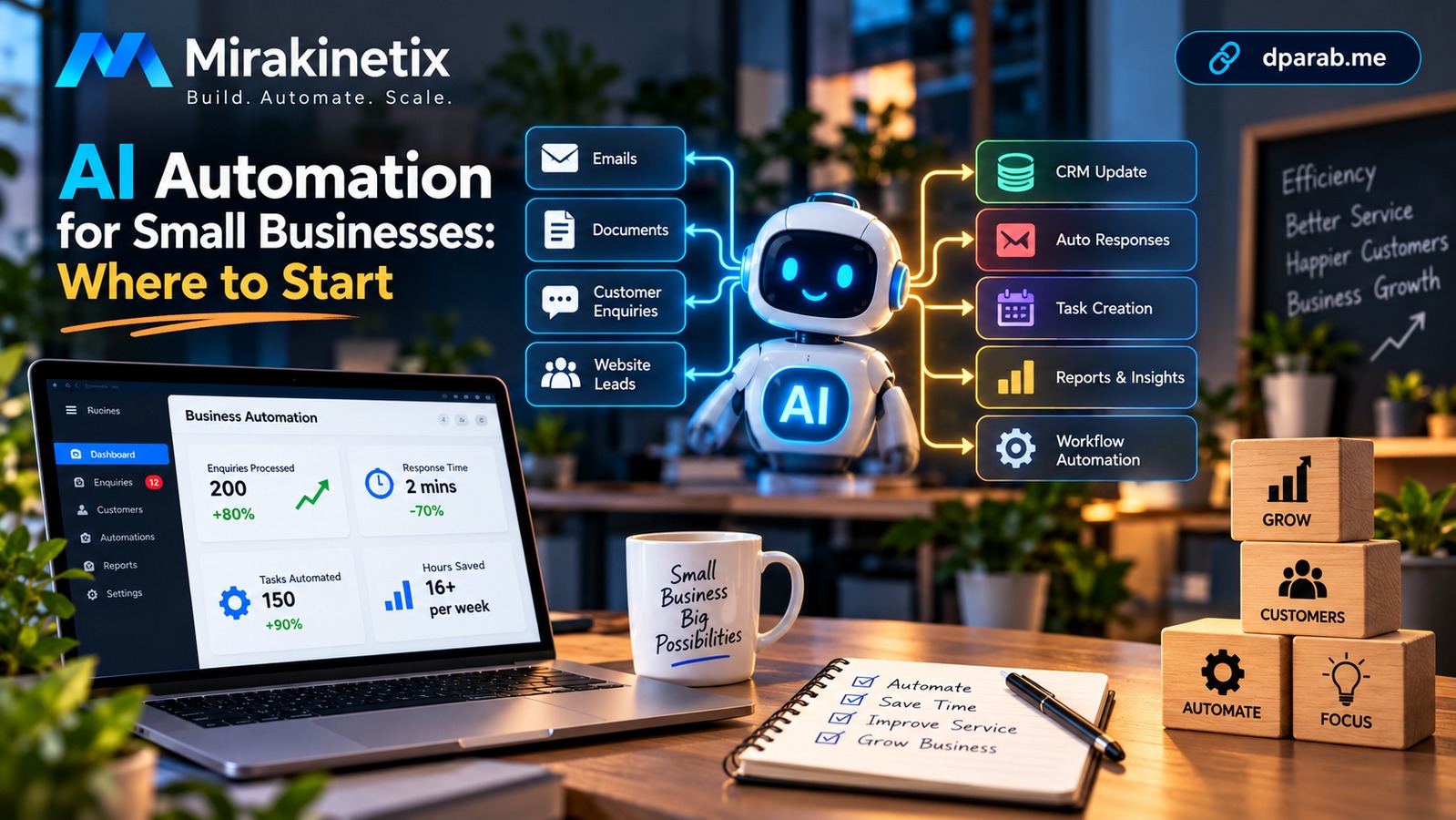
AI Automation for Small Businesses: Where to Start
Artificial intelligence is no longer limited to large enterprises with dedicated data-science teams. Small businesses can use AI automation to reduce repetitive work, improve response times, organize information, and give employees more time to focus on customers and higher-value tasks.
The challenge is knowing where to start.
AI automation should not begin with the question, “Where can we add AI?” It should begin with, “Which business process is consuming time unnecessarily?”
Start With the Process, Not the AI
A common mistake is introducing AI simply because it is available.
Instead, identify repetitive processes such as:
Answering common customer questions
Processing enquiries
Extracting information from documents
Generating reports
Categorizing emails or support tickets
Creating content drafts
Following up with leads
Updating CRM records
Preparing internal summaries
Monitoring routine operational tasks
The goal is not to automate everything.
The goal is to identify processes where automation can produce a measurable improvement.
A Simple AI Automation Workflow
A practical workflow can look like this:
Input → AI Processing → Business Rules → Action → Human Review → Result
For example, consider a business receiving enquiries through email.
The automation could:
Read the incoming enquiry.
Extract the customer's name, company and requirement.
Classify the enquiry.
Determine its priority.
Store the information in the CRM.
Generate a suggested response.
Notify the appropriate employee.
Keep a human approval step before sending sensitive responses.
This combines AI with traditional software automation.
That distinction is important.
AI can interpret unstructured information, while conventional application logic can handle deterministic operations such as database updates, permissions, notifications and workflows.
Where AI Adds the Most Value
AI is particularly useful when the input is difficult to process using simple rules.
For example:
Traditional automation
If invoice status = overdue
→ send reminder
AI-assisted automation
Read incoming customer email
→ understand intent
→ identify issue
→ classify priority
→ recommend action
Traditional automation remains extremely valuable. AI becomes useful when the system needs to interpret language, documents, images or other unstructured information.
Example: Automated Lead Processing
Imagine a small software company receiving leads from its website.
Without automation:
Website enquiry → Employee reads email → Employee enters CRM data → Employee categorizes lead → Employee responds
With automation:
Website enquiry → AI extracts information → Lead classified → CRM updated → Response drafted → Employee reviews → Response sent
The employee remains involved, but much of the repetitive work disappears.
AI Should Not Make Every Decision
One of the most important principles of business automation is knowing when not to automate a decision completely.
Consider processes involving:
Financial transactions
Legal commitments
Customer refunds
Employee decisions
Sensitive personal information
Security incidents
High-value purchases
For these workflows, AI can assist with analysis or recommendations while a human remains responsible for the final decision.
A useful architecture is:
AI Suggests → Business Rules Validate → Human Approves → System Executes
This provides automation without blindly delegating critical decisions to a model.
Connect AI to Existing Business Systems
AI becomes much more useful when it can interact with the systems a business already uses.
A typical architecture could be:
Customer / Employee
        ↓
Web Application / API
        ↓
Automation Layer
        ↓
AI Service
        ↓
Business Rules
        ↓
CRM / Database / Email / ERP
For example, a Laravel application could receive a customer request through an API, send the relevant text to an AI service, process the response through application rules, and store the result in MySQL.
Queues can handle longer-running operations so that the main application does not have to wait for every AI request.
Redis can also be used for caching, temporary state and queue infrastructure where appropriate.
Protect Business Data
AI automation introduces another important responsibility: data security.
Before sending business information to an external AI service, determine:
What data is being sent?
Is personal information included?
Is confidential business information included?
Where is the data processed?
How is it retained?
Who can access the results?
What happens if the AI service becomes unavailable?
Sensitive information should not be sent to an AI service simply because doing so is convenient.
Use data minimization, access controls, encryption, secrets management and appropriate retention policies.
Measure the Automation
An automation project should have measurable objectives.
For example:
Before automation
200 enquiries per week
5 minutes processing time per enquiry
16+ hours of repetitive work
After automation
AI extracts enquiry information
CRM entry is automated
Employees review the generated classification
Average processing time is reduced
Useful metrics include:
Processing time
Human review time
Error rate
Cost per transaction
Response time
Number of automated tasks
Human intervention rate
Without measurement, it becomes difficult to determine whether automation is actually improving the business.
Start Small
A small business does not need a complicated AI platform on day one.
A practical implementation can begin with one workflow.
For example:
Phase 1: Automate enquiry classification.
Phase 2: Connect classification to the CRM.
Phase 3: Generate response drafts.
Phase 4: Add notifications and follow-up automation.
Phase 5: Measure performance and refine the workflow.
This approach reduces technical risk and allows the business to learn from real usage.
Common AI Automation Mistakes
Automating a Broken Process
If the existing process is inefficient, automating it may simply make the inefficiency faster.
Improve the workflow first.
Using AI Where Rules Are Better
A simple if/else rule does not need an AI model.
Use deterministic logic when the requirements are deterministic.
Removing Human Review Too Early
AI systems can produce incorrect or incomplete results.
Start with human review for important workflows and reduce intervention only when reliability has been demonstrated.
Ignoring Failure Handling
AI services can be unavailable, slow or return unexpected results.
Production systems need:
Timeouts
Retries
Logging
Validation
Fallback behavior
Queue handling
Monitoring
Measuring AI Instead of Business Results
The question is not simply whether an AI model works.
The real question is:
Did the business process improve?
A Practical AI Automation Checklist
Before building an AI workflow, ask:
What repetitive problem are we solving?
How much time does the current process consume?
Can conventional automation solve part of it?
Where does AI actually add value?
What data will the AI receive?
Does the workflow require human approval?
What happens when the AI fails?
How will results be validated?
How will the workflow be monitored?
What metric will determine success?
Final Thoughts
AI automation does not mean replacing every business process with artificial intelligence.
The most practical approach is to combine AI, software automation and human judgment.
Use AI where interpretation is required. Use traditional application logic where rules are predictable. Use humans where responsibility, context or judgment matters.
For small businesses, the best starting point is usually not a massive AI transformation project.
It is one repetitive process that consumes time every week.
Automate that process, measure the result, learn from it, and then expand.
Build Practical AI Automation With Mirakinetix
If your business has repetitive processes that consume valuable employee time, Mirakinetix can help turn those processes into practical, maintainable automation workflows.
From API integrations and Laravel applications to AI-powered document processing, business workflows, queues, databases and monitoring, the focus should be on building automation that solves a real operational problem—not adding AI for its own sake.
Identify one process. Automate it. Measure the result. Then scale what works.
Mirakinetix — Build. Automate. Scale.


