
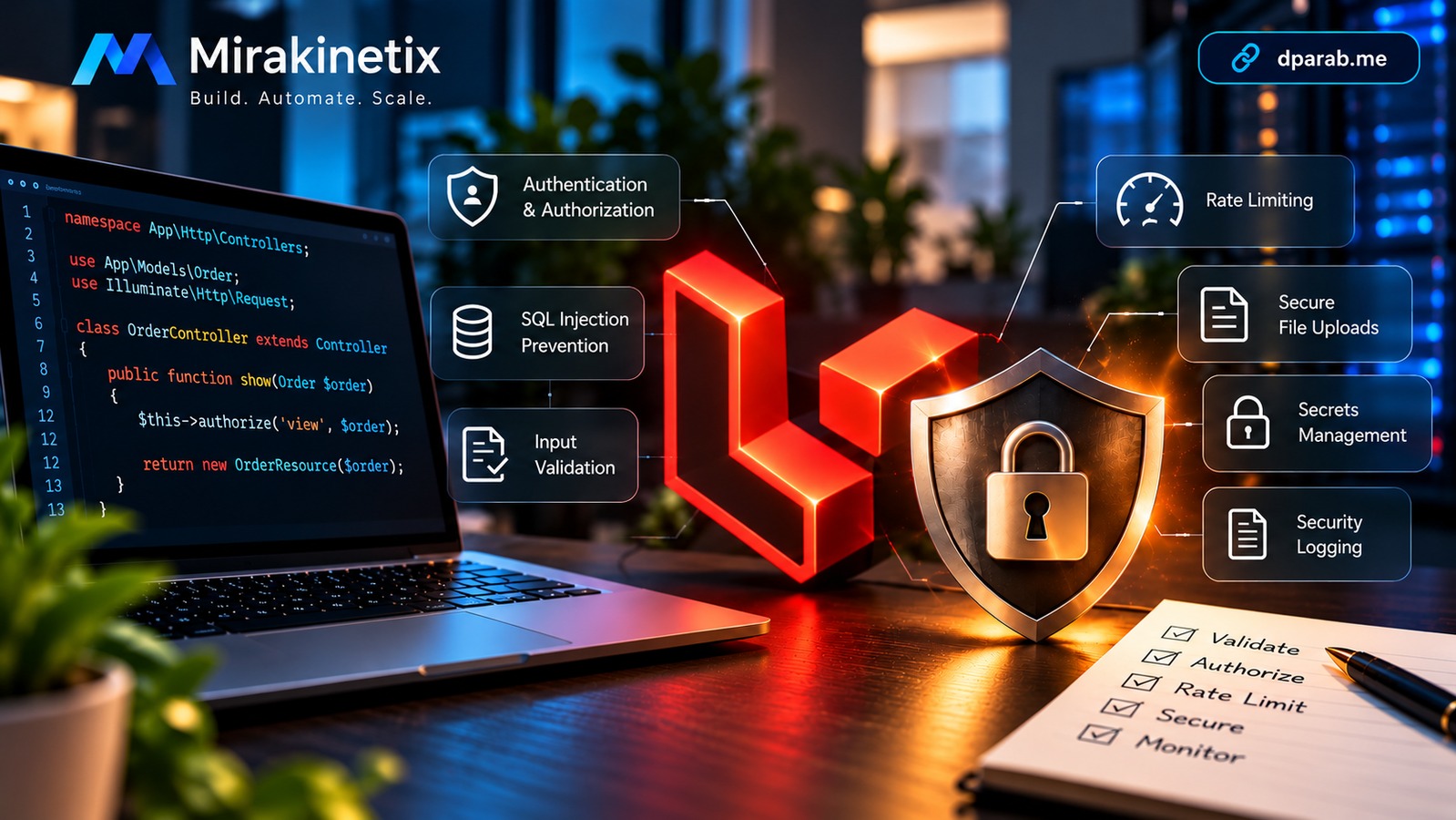
A Laravel application can be beautifully structured, thoroughly tested, and still have a serious security problem.
Consider this endpoint:
$order = Order::findOrFail($id);

return $order;
The code works. Authentication works. The database query works. But if an authenticated customer changes /orders/1001 to /orders/1002 and receives another customer's order, the application has an authorization vulnerability.
Real-world security problems often come from small gaps:
A user can access another user's record.
A request modifies a field the user should not control.
Raw SQL contains untrusted input.
An uploaded file is handled unsafely.
Production errors expose internal details.
A dependency introduces a known vulnerability.
Important security events are not logged or monitored.
This article is for Laravel developers, PHP backend engineers, and technical leads building production APIs, SaaS platforms, admin systems, and business applications.
Rather than treating security as theory, we'll examine practical Laravel controls for validation, authorization, injection, mass assignment, XSS, CSRF, uploads, secrets, dependencies, configuration, least privilege, rate limiting, and security logging, followed by an OWASP Top 10:2025 mapping and production checklist.
The goal: make security part of the application's design and code, not a final step before deployment.
1. Validate Input at the Boundary
Treat data from browsers, APIs, uploads, and external services as untrusted.
Laravel Form Requests provide a clean validation boundary:
public function store(StoreCustomerRequest $request)
{
    $customer = Customer::create($request->validated());

    return response()->json($customer);
}
For example:
public function rules(): array
{
    return [
        'name' => ['required', 'string', 'max:100'],
        'email' => ['required', 'email'],
        'phone' => ['nullable', 'string', 'max:20'],
    ];
}
Frontend validation improves usability, but it is not a security boundary. Clients can call APIs directly.
2. Prevent SQL Injection
Prefer Eloquent or the query builder:
$customers = User::where('email', $request->email)->get();
Avoid:
DB::select(
    "SELECT * FROM users WHERE email = '{$request->email}'"
);
When raw SQL is necessary, bind parameters:
DB::select(
    'SELECT * FROM users WHERE email = ?',
    [$request->email]
);
Never concatenate untrusted input into SQL.
3. Authentication Is Not Authorization
Authentication establishes who the user is. Authorization determines what that user can do.
This alone is not enough:
$order = Order::findOrFail($id);
Use a Policy or Gate:
$this->authorize('view', $order);
Concrete Secure Order Example
Suppose a customer requests:
GET /api/orders/1001
A secure controller can use route model binding and authorization:
public function show(Order $order)
{
    $this->authorize('view', $order);

    return new OrderResource($order);
}
The Policy can enforce ownership:
public function view(User $user, Order $order): bool
{
    return $user->id === $order->customer_id;
}
Now changing the URL to another order ID does not bypass authorization.
The same principle applies when creating an order. Do not trust the client to provide ownership:
public function store(StoreOrderRequest $request)
{
    $order = DB::transaction(function () use ($request) {
        return Order::create([
            'customer_id' => $request->user()->id,
            'product_id'  => $request->validated('product_id'),
            'quantity'    => $request->validated('quantity'),
        ]);
    });

    return new OrderResource($order);
}
Here, customer_id comes from the authenticated user rather than request input.
A secure operation therefore follows a predictable flow:
Request
   ↓
Authentication
   ↓
Validation
   ↓
Authorization
   ↓
Server-controlled ownership
   ↓
Business Rules
   ↓
Database Transaction
   ↓
Response
This is more reliable than treating authentication as the application's only access control.
4. Prevent Mass Assignment
Avoid blindly copying request data into models:
$user->update($request->all());
A malicious request could contain:
is_admin=true
Use validated fields instead:
$user->update($request->validated());
The same principle appears in the order example: sensitive ownership fields should be derived from trusted application context rather than arbitrary client input.
5. Protect Against XSS
Blade escapes normal output:
<h2>{{ $comment->author }}</h2>
Be careful with raw HTML:
{!! $comment->body !!}
If user-submitted HTML is intentionally supported, sanitize it before rendering. For ordinary user content, escaped output should be the default.
6. Use CSRF Protection for Browser Forms
Laravel provides CSRF protection for browser-based forms:
<form method="POST" action="/users/1001">
    @csrf
    @method('DELETE')

    <button type="submit">Delete</button>
</form>
CSRF is particularly relevant to session-authenticated browser applications. APIs should use an authentication model appropriate to their architecture, together with authorization and other required controls.
7. Use Rate Limiting to Protect Sensitive Endpoints
Rate limiting restricts how frequently a client can perform an action within a defined period. It is particularly useful for login, password-reset, OTP, expensive APIs, search endpoints, and other operations that could be abused.
Laravel provides the RateLimiter facade for defining application-specific limits.
For example, a login limiter can combine the username and IP address:
use Illuminate\Cache\RateLimiting\Limit;
use Illuminate\Support\Facades\RateLimiter;
use Illuminate\Http\Request;

RateLimiter::for('login', function (Request $request) {
    return Limit::perMinute(5)
        ->by(strtolower($request->input('email')) . '|' . $request->ip());
});
The route can then use the limiter:
Route::post('/login', [LoginController::class, 'store'])
    ->middleware('throttle:login');
For an API, you might use a user-specific or IP-based limit:
RateLimiter::for('api', function (Request $request) {
    return Limit::perMinute(60)
        ->by($request->user()?->id ?? $request->ip());
});
Then:
Route::middleware('throttle:api')->group(function () {
    Route::get('/orders', [OrderController::class, 'index']);
});
For expensive operations, use a stricter limit:
RateLimiter::for('reports', function (Request $request) {
    return Limit::perMinute(5)
        ->by($request->user()?->id ?? $request->ip());
});
Rate limiting is not a replacement for authentication or authorization. It is an additional control that reduces brute-force attempts, automated abuse, accidental overload, and excessive resource consumption.
Choose limits based on the endpoint's normal usage and business requirements rather than applying the same number everywhere.
8. Handle File Uploads Carefully
Validate uploads before storing them:
$request->validate([
    'avatar' => ['required', 'image', 'max:2048'],
]);

$path = $request->file('avatar')->store('avatars');
Do not blindly trust filenames, extensions, MIME types, metadata, or file contents.
Also consider:
Where files are stored
Who can access them
Whether they need to be public
Whether uploaded content could be executed
9. Protect Secrets
Never hard-code credentials:
$apiKey = 'sk_live_123456...';
Use environment configuration:
PAYMENT_API_KEY=...
and application configuration:
$key = config('services.payment.key');
If a production credential reaches Git, rotate it. Removing the line does not make an exposed credential safe.
This applies to database passwords, API keys, cloud credentials, encryption keys, and third-party service credentials.
10. Secure Production Configuration
Production should not expose development diagnostics:
APP_ENV=production
APP_DEBUG=false
Do not return stack traces, SQL queries, internal paths, credentials, or configuration details to users.
Security configuration also extends beyond Laravel to the web server, database, operating system, cloud environment, filesystem, and deployment pipeline.
11. Apply Least Privilege
Give each component only the permissions it needs.
For example, the Laravel database account should not have unnecessary administrative privileges.
Apply the same principle to:
Application roles
Filesystem permissions
API credentials
Cloud IAM permissions
Deployment accounts
Least privilege limits the impact if an account or credential is compromised.
12. Manage Dependencies
Third-party packages are part of the application's security boundary.
Run:
composer audit
and review outdated packages:
composer outdated
Also consider whether dependencies are maintained, necessary, reviewed before upgrades, and reproducible in production.
This broader dependency and build concern is reflected in OWASP A03:2025 Software Supply Chain Failures.
13. Log Security-Relevant Events
Security logs should help answer:
What happened, when did it happen, and who performed the action?
For example:
Admin 25
Changed user 842
editor → administrator
Useful events include failed authentication attempts, privilege changes, sensitive account changes, administrative actions, and suspicious activity.
Never log passwords, API keys, session tokens, encryption keys, or other credentials.
For important events, logging should be combined with appropriate monitoring and alerting.
OWASP Top 10:2025 — Practical Laravel Mapping
The OWASP Top 10:2025 is an awareness document covering major web application security risks. Categories can overlap, so one Laravel control may address multiple risks.
OWASP 2025Laravel interpretationPractical controlsA01: Broken Access ControlUsers access resources or actions outside their permissions.Policies, Gates, $this->authorize(), ownership checksA02: Security MisconfigurationInsecure application or infrastructure configuration creates exposure.APP_DEBUG=false, secure configuration, database permissionsA03: Software Supply Chain FailuresDependencies, builds, or distribution processes introduce risk.composer audit, dependency review, controlled deploymentsA04: Cryptographic FailuresSensitive information is inadequately protected.HTTPS, protected credentials, secure database connectionsA05: InjectionUntrusted input changes the meaning of commands or queries.Parameterized SQL, Eloquent, validationA06: Insecure DesignSecurity controls are missing from application design.Authorization boundaries, secure workflows, least privilegeA07: Authentication FailuresAuthentication mechanisms allow improper identity or account access.Secure authentication, session security, rate limitingA08: Software or Data Integrity FailuresSoftware or data cannot be sufficiently trusted.Controlled uploads, dependency integrity, trusted data flowsA09: Security Logging & Alerting FailuresSecurity events are inadequately logged, monitored, or alerted on.Audit logs, monitoring, actionable alertsA10: Mishandling of Exceptional ConditionsErrors or abnormal conditions produce insecure behavior.Safe exception handling, controlled error responses
The 2025 edition introduced A03: Software Supply Chain Failures and A10: Mishandling of Exceptional Conditions. CSRF and SSRF are also no longer standalone Top 10 categories; they are addressed within broader categories in the 2025 model.
This mapping is an awareness guide, not proof of OWASP compliance. For comprehensive and verifiable application-security requirements, OWASP's Application Security Verification Standard (ASVS) provides a deeper framework.
Quick-Reference Laravel Security Checklist
Input & Application
Validate external input.
Use Form Requests where appropriate.
Use parameter binding for SQL.
Prevent unsafe mass assignment.
Escape user-generated output.
Sanitize intentionally supported HTML.
Validate file uploads.
Authentication & Access
Authenticate protected resources.
Authorize sensitive resources.
Review Policies and Gates.
Apply appropriate rate limiting.
Protect browser forms against CSRF.
Apply least privilege.
Secrets & Configuration
Keep credentials out of source code.
Rotate exposed credentials.
Set
APP_DEBUG=false.Protect production configuration.
Use appropriate database and filesystem permissions.
Dependencies & Deployment
Run
composer audit.Review dependency updates.
Control production dependencies.
Use a controlled deployment process.
Maintain a rollback procedure.
Monitoring & Recovery
Log important security events.
Never log secrets or authentication tokens.
Monitor authentication and authorization failures.
Configure meaningful security alerts.
Maintain tested backups.
Have a credential-compromise response procedure.
Practical Security Workflow
Build security into the development lifecycle:
Design → Validate → Authenticate → Authorize → Rate Limit → Execute safely → Handle failures → Log & alert → Test & audit → Deploy → Monitor & recover
This approach prevents security from becoming a collection of disconnected fixes.
Closing Security Action Plan
Before calling a Laravel application production-ready, work through these five steps:
1. Find the High-Risk Paths
Identify authentication, authorization, payments, personal data, administrative functions, file uploads, and sensitive APIs.
2. Test the Boundaries
Try invalid input, unauthorized resource IDs, unexpected fields, malformed uploads, expired credentials, excessive requests, and failed operations.
3. Audit the Environment
Check production configuration, secrets, database privileges, filesystem permissions, dependencies, HTTPS, logging, and backups.
4. Verify Detection and Recovery
Confirm that important security events are logged and actionable alerts exist. Test credential rotation, backup restoration, and rollback procedures.
5. Repeat After Major Changes
Security review should be repeated when authentication, authorization, database access, dependencies, infrastructure, or sensitive business workflows change.
A practical rule: if a security control protects customer data, money, administrative access, or system integrity, verify it with a test or configuration check rather than assuming it works.
Final Thoughts
Laravel provides strong security building blocks, but the framework cannot make every application-specific decision for you.
The core principles are straightforward:
Treat input as untrusted.
Verify authorization.
Limit abusive request rates.
Minimize privileges.
Protect secrets.
Handle failures safely.
Control dependencies.
Log and monitor important security events.
The OWASP Top 10 is a useful security-awareness starting point, but it is not a complete application-security standard. For deeper, verifiable requirements, use OWASP ASVS as the next layer.
For production Laravel applications, security is an ongoing engineering responsibility spanning architecture, development, testing, deployment, monitoring, and operations.


