
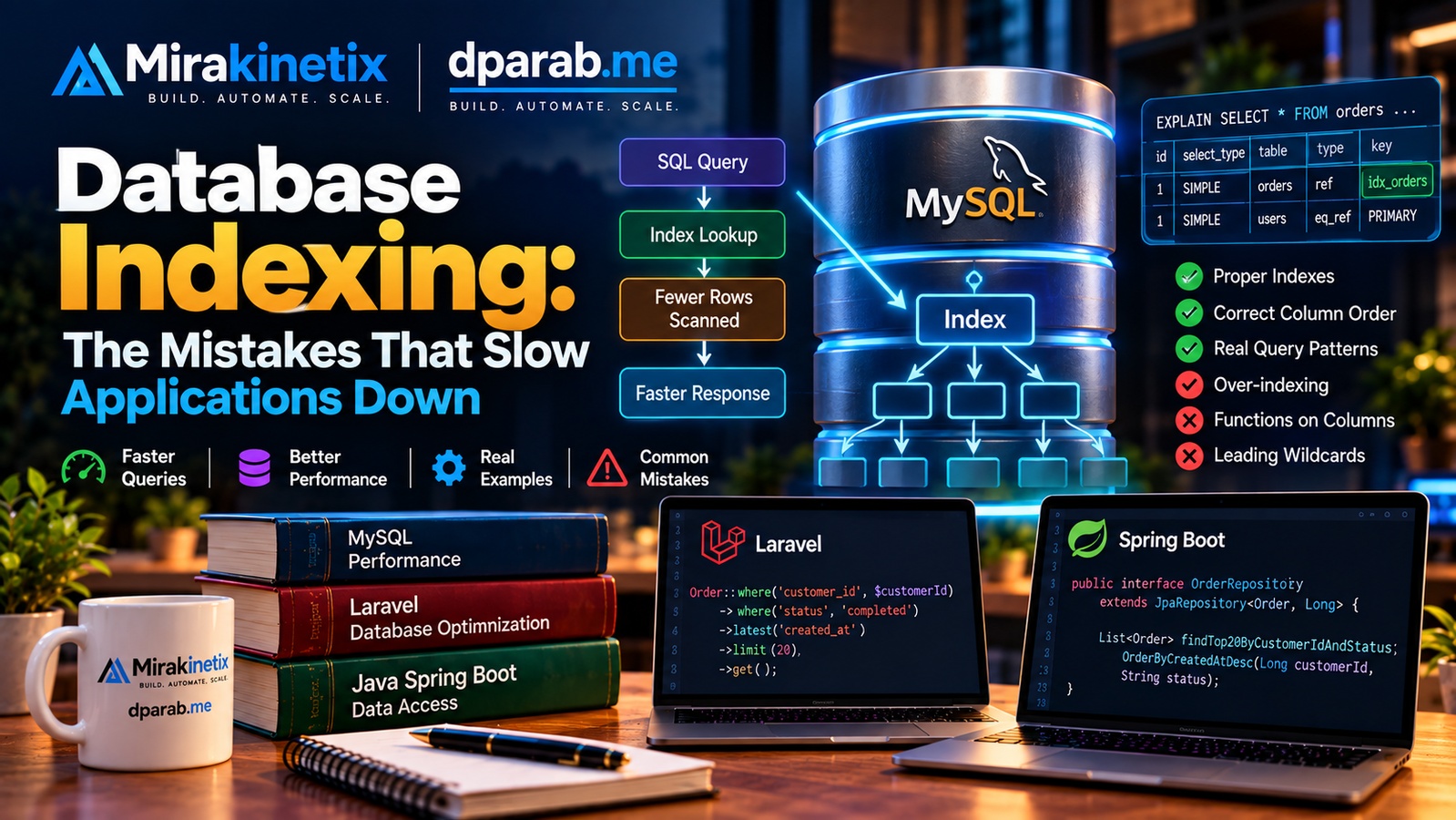
Database performance problems often appear as applications grow. A query that was fast with 10,000 rows can become painfully slow when the same table contains millions of records.
One of the most important tools for improving database performance is indexing.
But indexes are not automatically good. The wrong index, too many indexes, or an index that does not match the way an application queries data can actually make performance worse.
This article explains how database indexes work, common indexing mistakes, and practical examples using MySQL, Laravel, and Java/Spring Boot.
What Is a Database Index?
A database index is a data structure that helps the database find rows without scanning the entire table.
Consider a users table:
SELECT * FROM users
WHERE email = 'user@example.com';
Without an index on email, MySQL may need to examine a large portion of the table to find the matching row.
Adding an index:
CREATE INDEX idx_users_email
ON users(email);
allows MySQL to locate matching records more efficiently.
The trade-off is that indexes consume storage and must also be maintained when data changes.
1. Index Columns That Are Frequently Queried
Start with the queries your application actually runs.
For example:
SELECT *
FROM orders
WHERE customer_id = 1001;
An index on customer_id may significantly improve this query:
CREATE INDEX idx_orders_customer_id
ON orders(customer_id);
This becomes particularly important when the table contains millions of orders.
The important point is that indexes should be designed around real query patterns, not simply around the database schema.
2. Composite Indexes Matter
Applications often filter using multiple columns:
SELECT *
FROM orders
WHERE customer_id = 1001
AND status = 'completed';
Instead of automatically creating separate indexes, consider whether a composite index matches the query:
CREATE INDEX idx_orders_customer_status
ON orders(customer_id, status);
The order of columns in a composite index matters.
If the application commonly searches by customer_id and then status, that access pattern should influence the index design.
3. Understand the Leftmost Prefix Principle
Consider:
CREATE INDEX idx_orders_customer_status_date
ON orders(customer_id, status, created_at);
This index can help queries using the leading columns, such as:
WHERE customer_id = 1001
or:
WHERE customer_id = 1001
AND status = 'completed'
But a query filtering only by status does not get the same benefit from this index.
This is why adding several columns to an index does not automatically make every query faster.
4. Do Not Index Everything
A common mistake is creating an index on almost every column.
Indexes have costs.
When an application performs:
INSERT
UPDATE
DELETE
the database may also need to update affected indexes.
Too many indexes can therefore increase:
Storage requirements
Insert overhead
Update overhead
Delete overhead
Database maintenance complexity
The goal is not to have the maximum number of indexes.
The goal is to have the right indexes.
5. Be Careful With Low-Selectivity Columns
Consider a column such as:
is_active
where most rows contain either 0 or 1.
An index on this column may not always provide a meaningful performance improvement because the database may still need to process a large portion of the table.
Compare that with a column such as:
email
where values are normally unique.
Index usefulness depends on factors such as:
Data distribution
Query pattern
Table size
Selectivity
Other conditions in the query
6. Always Check the Query Plan
Do not guess whether an index is helping.
Use:
EXPLAIN
SELECT *
FROM orders
WHERE customer_id = 1001
AND status = 'completed';
MySQL also provides:
EXPLAIN ANALYZE
SELECT *
FROM orders
WHERE customer_id = 1001
AND status = 'completed';
These tools help you understand how MySQL is executing the query.
Pay attention to information such as:
Indexes considered
Index actually selected
Rows examined
Filtering
Join strategy
Actual execution behavior with
EXPLAIN ANALYZE
Performance tuning should be based on measurements rather than assumptions.
7. Watch Out for Functions on Indexed Columns
Suppose you have an index on:
created_at
but write:
SELECT *
FROM orders
WHERE DATE(created_at) = '2026-10-02';
Applying a function to the indexed column can make it harder for the database to use a normal index efficiently.
A range query is often a better approach:
SELECT *
FROM orders
WHERE created_at >= '2026-10-02 00:00:00'
AND created_at < '2026-10-03 00:00:00';
This also makes the intended time range explicit.
8. Avoid Leading Wildcards When Possible
Consider:
SELECT *
FROM users
WHERE email LIKE '%@example.com';
A normal B-tree index generally cannot efficiently search for values when the pattern begins with %.
Compare:
WHERE email LIKE 'dev%'
The second pattern provides a searchable prefix and can be much more index-friendly.
For genuine substring searches, consider whether a different search strategy is more appropriate.
9. Index Foreign Keys and Join Columns Carefully
Applications frequently join tables:
SELECT orders.id, users.email
FROM orders
JOIN users
    ON users.id = orders.user_id;
The columns involved in joins should be reviewed when investigating slow queries.
For example:
CREATE INDEX idx_orders_user_id
ON orders(user_id);
may help when retrieving orders for users.
Again, the actual query workload should determine whether the index is necessary.
10. Indexing for Sorting and Pagination
Consider a common API endpoint:
SELECT *
FROM orders
WHERE customer_id = 1001
ORDER BY created_at DESC
LIMIT 20;
A composite index can potentially support both filtering and ordering:
CREATE INDEX idx_orders_customer_created
ON orders(customer_id, created_at);
This can be particularly useful for large tables and frequently accessed list pages.
For very large datasets, pagination strategy also matters. Repeatedly using large OFFSET values can become expensive, so applications may eventually benefit from keyset or cursor-based pagination.
11. Practical Laravel Example
Imagine a Laravel application frequently executes:
Order::where('customer_id', $customerId)
    ->where('status', 'completed')
    ->latest('created_at')
    ->limit(20)
    ->get();
The corresponding database access pattern involves:
customer_id
status
created_at
A possible index to investigate is:
$table->index(
    ['customer_id', 'status', 'created_at'],
    'orders_customer_status_created_idx'
);
However, the migration should not be created simply because three columns appear in the query.
Check the actual SQL and execution plan first.
The correct index depends on the complete workload.
12. Practical Java and Spring Boot Example
The same principles apply to Java applications.
Suppose a Spring Boot application has an Order entity:
@Entity
@Table(name = "orders")
public class Order {

    @Id
    private Long id;

    private Long customerId;

    private String status;

    private Instant createdAt;

    // getters and setters
}
A repository might contain:
public interface OrderRepository
        extends JpaRepository<Order, Long> {

    List<Order> findTop20ByCustomerIdAndStatusOrderByCreatedAtDesc(
        Long customerId,
        String status
    );
}
The generated SQL will effectively need to perform a query similar to:
SELECT *
FROM orders
WHERE customer_id = ?
AND status = ?
ORDER BY created_at DESC
LIMIT 20;
If this endpoint is used heavily and the table contains millions of rows, a composite index could be investigated:
CREATE INDEX idx_orders_customer_status_created
ON orders(customer_id, status, created_at);
The important lesson is that JPA/Hibernate does not remove the need for database optimization.
The Java application may have clean repository code, but the database still needs an efficient execution plan.
A useful workflow is:
Spring Boot Repository
        ↓
Generated SQL
        ↓
MySQL EXPLAIN
        ↓
Index Design
        ↓
Measure Performance
This is especially important for high-traffic APIs where a seemingly simple repository method can execute thousands of times per minute.
13. Indexing Is Not a Framework Problem
Whether you use:
Laravel
Spring Boot
Django
FastAPI
Node.js
.NET
Raw PHP
the database ultimately sees SQL queries.
That means database indexing should be treated as a data-access and database design problem, not simply a framework configuration problem.
Application frameworks make database access easier, but they cannot automatically determine the best indexes for every workload.
14. Unused Indexes Are Technical Debt
As applications evolve, old indexes can become unnecessary.
A database that has accumulated indexes over several years may contain indexes created for features that no longer exist.
Periodically review:
Query performance
Index usage
Duplicate indexes
Overlapping indexes
Old application queries
Write performance
Removing an index should be done carefully and based on actual workload data.
Common Indexing Mistakes
Some of the most common mistakes include:
Creating indexes without checking queries.
Indexing every column.
Ignoring composite-index column order.
Creating duplicate or overlapping indexes.
Ignoring write performance.
Never checking
EXPLAIN.Applying functions unnecessarily to indexed columns.
Using leading wildcard searches with normal indexes.
Ignoring data distribution.
Keeping obsolete indexes forever.
Assuming an ORM automatically solves database performance.
Optimizing a query without measuring the actual workload.
A Practical Indexing Workflow
When investigating a slow query, use a repeatable process:
Step 1: Identify the slow query.
Step 2: Run EXPLAIN or EXPLAIN ANALYZE.
Step 3: Understand how many rows are being examined.
Step 4: Check the existing indexes.
Step 5: Identify the filtering, joining, sorting, and grouping pattern.
Step 6: Design the smallest useful index.
Step 7: Test the query again.
Step 8: Measure the improvement.
Step 9: Check whether write performance has changed.
Step 10: Monitor the application after deployment.
Step 11: Revisit indexes as the application and data evolve.
Final Thoughts
Database indexing is not about adding indexes everywhere.
It is about understanding how your application accesses data and designing indexes around those access patterns.
Whether your backend is Laravel, Java/Spring Boot, Python, or another technology, the same fundamental principle applies:
The application generates queries, but the database execution plan determines how efficiently those queries run.
For MySQL applications, good indexing combined with query analysis can make a significant difference as datasets grow.
The most important habit is simple:
Do not guess. Measure the query, inspect the execution plan, and then design the index.
Good database performance comes from understanding the workload—not from blindly adding indexes.


