
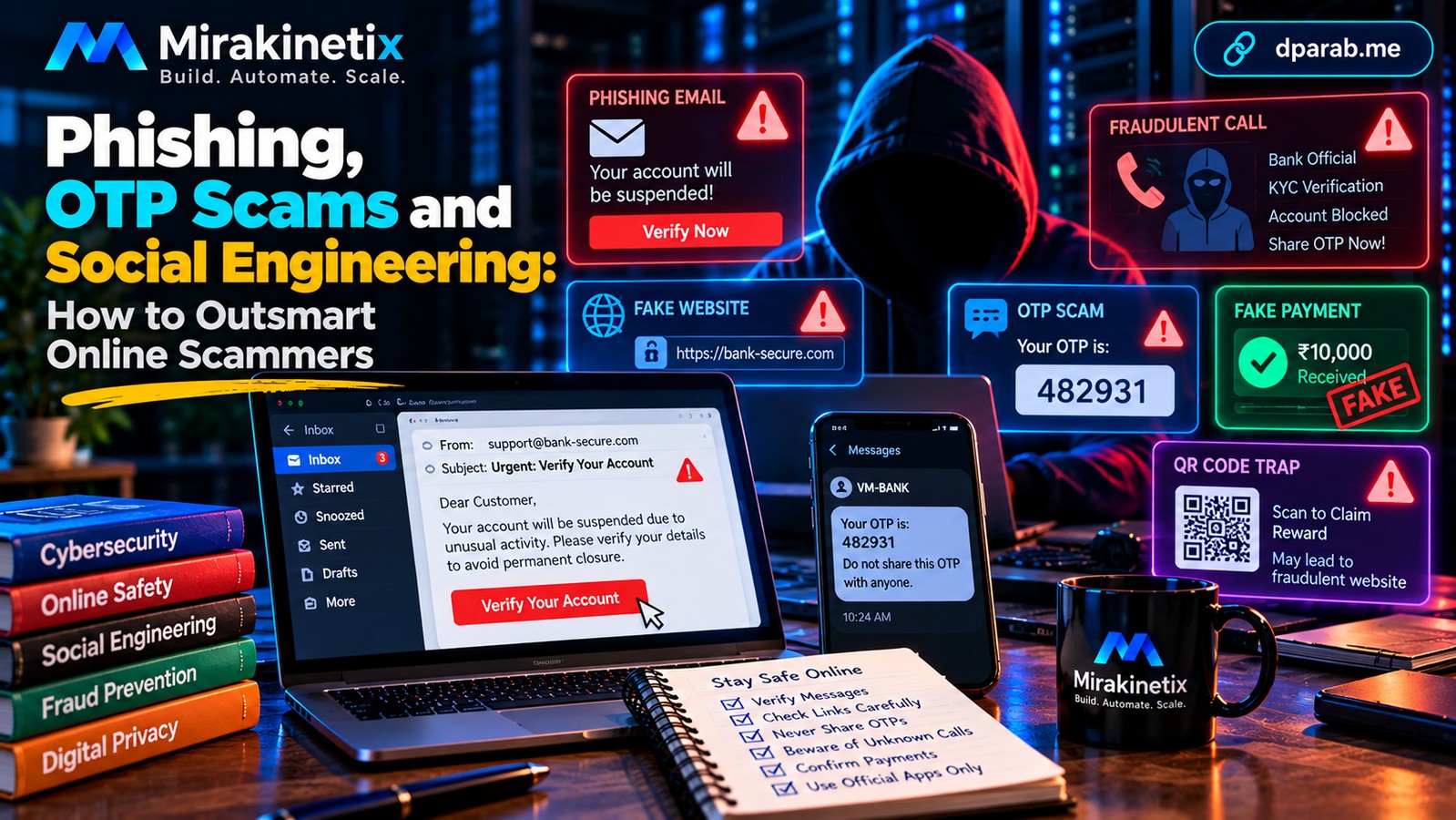
The Weakest Link Is Often Trust
A cybercriminal does not always need to break into a computer. Sometimes, convincing a person to reveal a password, approve a payment, or install a malicious application is enough.
This technique is known as social engineering. It exploits familiar human reactions: fear, urgency, curiosity, trust, and the desire to solve a problem quickly.
In India, these tactics commonly appear in messages about banking, UPI payments, electricity bills, courier deliveries, job offers, digital identity verification, and customer support.
Recognizing the manipulation is one of the most effective ways to protect yourself.
What Is Phishing?
Phishing is a type of cyberattack in which criminals impersonate trusted people or organizations to trick victims into revealing information, opening malicious links, downloading harmful files, or authorizing transactions.
Social engineering is the broader technique of manipulating people. Phishing is one way criminals use it.
A message may look professional, contain a familiar logo, and even include your name. None of these details proves that the sender is legitimate.
Five Common Scams and How They Work
1. Phishing Emails and Messages
A phishing message may claim that your bank account will be suspended, a parcel is awaiting delivery, or an unusual login requires immediate verification.
The message directs you to a fraudulent website designed to collect your credentials or payment information.
How to protect yourself:
Avoid clicking unexpected links in emails or messages.
Open the official application or type the known website address yourself.
Check the full domain name carefully.
Never ignore browser security warnings just to complete a transaction.
2. OTP and Account Verification Scams
A fraudster may impersonate a bank employee, delivery agent, or support representative and ask you to share a one-time password (OTP).
An OTP can authorize a login, password reset, or transaction, depending on the service. Sharing it may give the attacker the access they need.
How to protect yourself:
Never disclose OTPs, banking PINs, passwords, or recovery codes to someone who contacts you unexpectedly. Read the message accompanying an OTP to understand what the code is authorizing.
If you receive an OTP you did not request, do not share it. Review the relevant account for suspicious activity and secure it if necessary.
3. UPI Collect Requests and Fake Payment Screenshots
A scammer may claim to be sending you money and ask you to approve a UPI collect request. Another may show you a fabricated payment screenshot to persuade you to release goods or provide a service.
A collect request may require your authorization to make a payment. A screenshot alone is not proof that money has reached your account.
How to protect yourself:
Check the actual transaction status in your trusted payment application or bank account.
Verify the recipient and amount before approving a payment.
Never enter your UPI PIN simply to receive money.
Do not rely on screenshots as proof of payment.
4. Remote-Access and Screen-Sharing Scams
A caller may claim that your device needs technical support and ask you to install a remote-access or screen-sharing application.
Depending on the permissions granted, the attacker may view sensitive information or manipulate your device. If you then open a banking application or disclose authentication codes, the consequences can be serious.
How to protect yourself:
Never install remote-access software at the request of an unsolicited caller. If you have already done so during a suspected scam, disconnect the session, stop using the device for sensitive activities, and contact your bank through an official channel if financial information may have been exposed.
5. QR Codes, Fake Jobs, and Too-Good-to-Be-True Offers
A QR code can direct you to a fraudulent website or a payment request. Fake recruiters may demand registration fees, identity documents, or deposits before offering a job. Fraudulent investment schemes may promise guaranteed returns.
How to protect yourself:
Verify recruiters and organizations independently.
Understand what a QR code or payment request will do before proceeding.
Be suspicious of pressure to act immediately.
Do not pay unexpected fees merely to unlock a promised refund, prize, or job opportunity.
The Psychology Behind Social Engineering
Scammers often combine several manipulation techniques.
Urgency: “Your account will be blocked in ten minutes.”
Authority: “I am calling from your bank's security department.”
Fear: “A police case has been registered against you.”
Reward: “You have won a prize.”
Trust: “Your colleague needs you to make an urgent payment.”
Isolation: “Do not tell anyone about this investigation.”
These statements are designed to stop you from thinking critically or verifying the request.
When a message triggers a strong emotional reaction, pause. Contact the supposed sender through a separate, trusted channel before taking action.
Six Questions to Ask Before You Act
Before clicking a link, sharing information, or approving a payment, ask yourself:
Was I expecting this communication?
Can I verify the sender independently?
Does the requested action make sense?
Is the website address genuine?
Am I being pressured to bypass normal security checks?
Is anyone asking for a password, OTP, PIN, recovery code, or remote access?
If the request cannot be verified, do not proceed.
What If You Have Already Fallen for a Scam?
Act quickly. The appropriate response depends on what happened.
Step 1: Contact your bank if money is at risk. Report suspected unauthorized transactions immediately through official channels. Ask what protective measures are available.
Step 2: Report financial cyber fraud. In India, call the national cybercrime helpline at 1930 as quickly as possible and submit a report through the National Cyber Crime Reporting Portal: https://cybercrime.gov.in.
Step 3: Secure affected accounts. From a trusted device, change compromised passwords, revoke unfamiliar sessions, and review account recovery settings. Secure your primary email account if it may be affected.
Step 4: Address suspicious software. If you installed an application at a scammer's request, disconnect remote sessions and seek trusted technical assistance. Do not use a potentially compromised device to access sensitive accounts until it has been assessed.
Step 5: Preserve evidence. Keep relevant messages, screenshots, transaction references, phone numbers, website addresses, and complaint numbers.
Step 6: Warn your contacts. If your email or social media account has been compromised, notify people through a separate communication channel. Ask them to ignore suspicious requests sent from the affected account.
Reporting promptly can help authorities and financial institutions respond, but it does not guarantee that lost money will be recovered.
Be wary of recovery scammers who demand an upfront fee to retrieve your money.
Build a Habit of Verification
You do not need advanced technical knowledge to avoid many common scams. You need a consistent process.
Verify unexpected requests independently.
Use unique passwords and multi-factor authentication.
Keep your devices and applications updated.
Never share authentication codes with unsolicited callers.
Check payment details before approving transactions.
Use official websites and verified support channels.
Discuss suspicious requests with someone you trust before taking irreversible action.
Final Thoughts
The most dangerous online scams are not always the most technically sophisticated. Many succeed because they create panic, imitate trusted organizations, or convince people to act without verification.
Security software and strong passwords matter, but they cannot prevent every instance of social engineering. Your decisions are an important layer of defense.
Pause. Verify. Then act.
A few moments of independent verification can prevent a much larger problem.


