
A production application can report that every server is running while customers experience slow pages, failed transactions, and intermittent errors.
The problem is that infrastructure health does not always reflect application health. A server may have available CPU and memory while database queries take several seconds, connection pools are exhausted, or an external API stops responding.
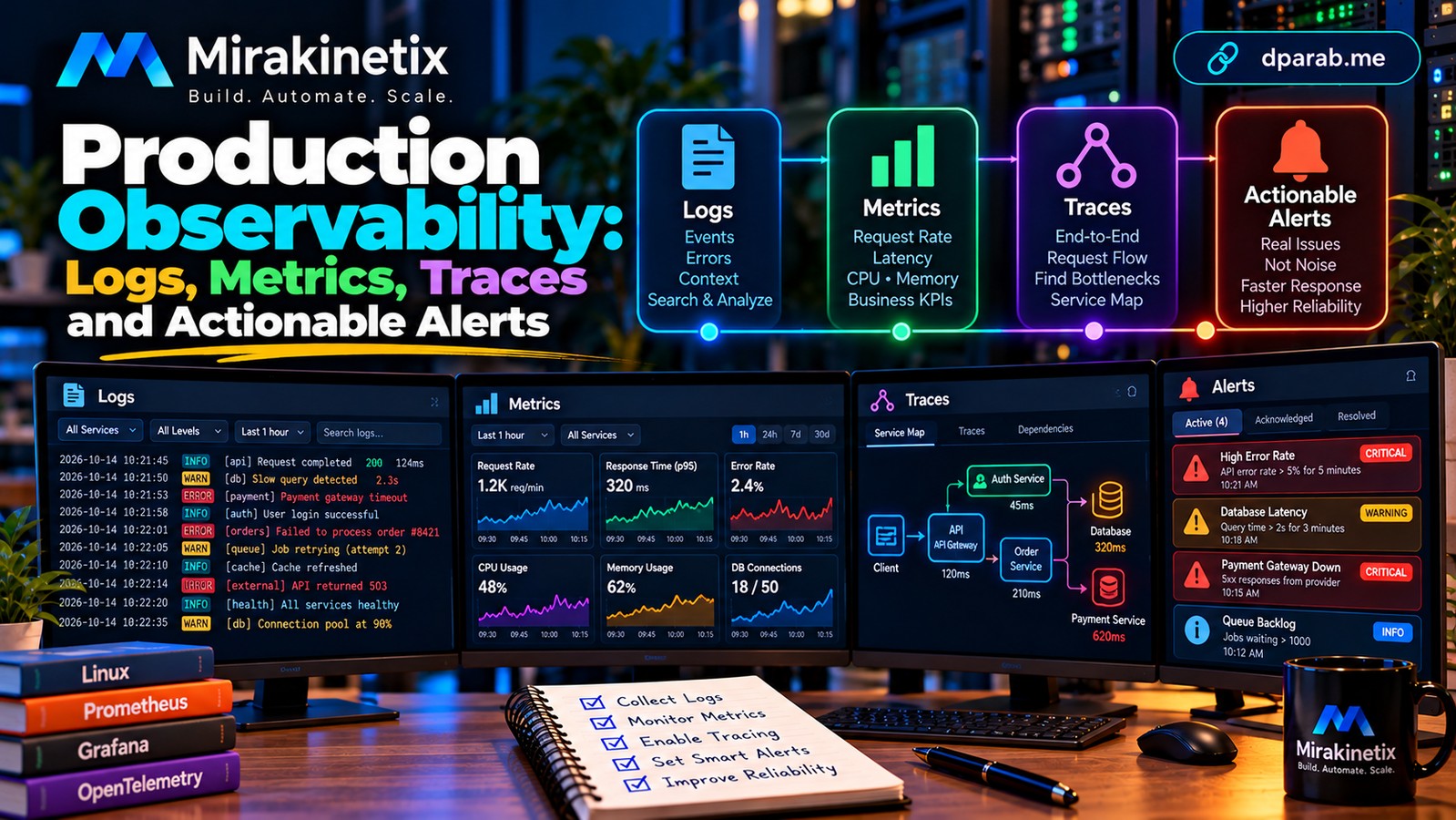
This is where observability becomes essential. Logs, metrics, and distributed traces help engineering teams understand what is happening inside a system, identify the cause of failures, and make informed operational decisions.
For backend developers, DevOps engineers, SREs, and technical leads, observability should be part of application architecture—not something added after the first production incident.
1. Understand the Three Pillars of Observability
The three commonly used observability signals provide different perspectives on application behavior.
Logs explain events. They record what happened, when it happened, and relevant context. Examples include authentication failures, payment errors, and database connection timeouts.
Metrics show trends. They provide numerical measurements over time, such as request rate, CPU utilization, memory consumption, error rate, and response latency.
Distributed traces show request journeys. They reveal how a request moves through services, database calls, queues, and external dependencies.
Consider a slow checkout request. Metrics reveal that response times have increased. A trace identifies a slow payment-provider call. Logs provide the associated error details and transaction context.
Together, these signals help narrow the investigation much faster than any one signal alone.
2. Build Structured Application Logs
Application logs should help engineers investigate problems without exposing sensitive information.
Instead of recording an unstructured message such as:
Something went wrong with the orderPrefer structured fields:
{
  "level": "error",
  "event": "order_processing_failed",
  "request_id": "req-example-123",
  "order_id": 8421,
  "error_code": "PAYMENT_TIMEOUT"
}
This makes logs easier to search, filter, and aggregate.
Use consistent fields such as timestamp, severity, environment, service name, request ID, and error code. A correlation or trace ID can connect related events across multiple services.
In Laravel, Java/Spring Boot, and Python applications, configure logging centrally and send logs to an appropriate collection platform.
Never log passwords, access tokens, private keys, or unnecessary personal information. Define retention policies and restrict access to logs because they can contain sensitive operational data.
3. Measure What Users Experience
Metrics should reveal both infrastructure conditions and application performance.
Start with these measurements:
Request throughput.
Error rate and HTTP status distribution.
Response latency, particularly p95 and p99.
CPU and memory utilization.
Database query duration.
Connection pool saturation.
Queue depth and job processing time.
External service latency and failures.
Average latency can hide problems affecting a small percentage of users. Percentiles help expose slow requests that averages may conceal.
For many HTTP services, a useful starting point is to monitor request rate, errors, and duration. Add business-specific indicators such as successful payments, completed orders, or failed report generations.
A service can be technically available while delivering little business value. Monitor outcomes, not just processes.
4. Use Distributed Tracing to Find Bottlenecks
In a distributed system, a single user request may cross multiple components:
Client → API gateway → Application → Database → External service
If the request takes four seconds, which component is responsible?
Distributed tracing represents the request as a trace containing individual spans. Each span records an operation, its duration, and relevant metadata.
A trace might reveal that:
API routing takes 20 milliseconds.
Application processing takes 50 milliseconds.
A database query takes 300 milliseconds.
An external service takes 3.2 seconds.
The external dependency is now the obvious investigation target.
OpenTelemetry provides vendor-neutral instrumentation and collection standards for traces, metrics, and logs. Compatible backends can store and visualize these signals.
Instrument important boundaries, propagate trace context correctly, and avoid recording sensitive payloads. Sampling can reduce overhead and storage costs in high-volume systems, but sampling policies should preserve useful diagnostic information.
5. Create Alerts That Require Action
A dashboard is useful when someone investigates a problem. An alert is useful when the system detects a condition that needs attention.
Poor alerts create noise. If every temporary CPU spike generates a notification, engineers may begin ignoring alerts—even when a genuine incident occurs.
Design alerts around user impact and operational risk.
Examples include:
Sustained increases in API error rates.
High p95 latency over a meaningful time window.
Repeated database connection timeouts.
A growing queue backlog that threatens processing deadlines.
Failed health checks across application instances.
Certificate expiration approaching a defined threshold.
Where possible, alert on sustained conditions rather than individual transient events.
Each alert should explain the problem, its severity, the affected service, and the next diagnostic step. Define ownership and escalation paths so incidents do not remain unattended.
6. Build Useful Health Checks
Health checks help load balancers, orchestrators, and monitoring systems determine whether an application can operate correctly.
Distinguish between:
Liveness: Is the application process functioning, or is it irrecoverably stuck?
Readiness: Is the application prepared to receive traffic?
Dependency health: Can the application reach critical dependencies such as the database or required external services?
Do not make every dependency failure automatically trigger a process restart. For example, restarting all application instances because a shared database is temporarily unavailable may increase instability rather than solve the problem.
Health checks should be lightweight, have appropriate timeouts, and reflect the actual recovery strategy.
7. Implement Observability Across Your Stack
A practical stack can combine several complementary tools:
Metrics: Prometheus and Grafana.
Logs: Loki or an Elasticsearch-based logging platform.
Tracing: OpenTelemetry with Jaeger or a compatible tracing backend.
Application instrumentation: Framework-specific metrics, structured logging, and trace integration.
Alerting: Alertmanager or an equivalent notification system.
You do not need every tool from day one. Choose components based on workload, operational expertise, data volume, security requirements, and maintenance costs.
For example, a Laravel application may expose request and queue metrics while using structured logs and distributed tracing. A Spring Boot service can integrate Micrometer and Actuator for metrics and health information. A Python FastAPI service can use OpenTelemetry instrumentation and structured logging.
The objective is consistent visibility across services, not accumulating monitoring products.
8. Control Observability Costs and Risks
Observability itself requires engineering discipline.
High-cardinality metric labels, excessive debug logs, and unbounded trace retention can increase storage and processing costs substantially.
Avoid labels containing unique user IDs, request IDs, or other effectively unlimited values in metrics. Keep high-cardinality diagnostic identifiers in logs and traces where appropriate.
Establish retention periods, access controls, data redaction, and sampling policies. Protect monitoring endpoints and dashboards from unauthorized access.
Measure the overhead introduced by instrumentation, especially on high-throughput services.
9. A Practical Implementation Roadmap
Start with a small, measurable rollout:
Baseline: Record request rate, error rate, latency, CPU, and memory.
Standardize logs: Add structured fields and request correlation IDs.
Instrument dependencies: Measure database calls, queues, and external APIs.
Add tracing: Follow important requests across service boundaries.
Create actionable alerts: Prioritize customer impact and clear ownership.
Test failure scenarios: Simulate dependency timeouts, queue backlogs, and elevated error rates.
Review incidents: Improve dashboards, alerts, and runbooks based on actual failures.
Document how to diagnose common incidents. A dashboard without a response procedure may reveal a problem but still leave the team uncertain about what to do next.
Common Observability Mistakes
Avoid these common problems:
Monitoring servers without monitoring user-facing transactions.
Recording logs without consistent structure.
Alerting on every metric instead of meaningful conditions.
Ignoring p95 and p99 latency.
Failing to correlate events across services.
Exposing secrets in logs or trace attributes.
Collecting data without defining retention or ownership.
Deploying monitoring tools without testing alert delivery.
Final Thoughts
Reliable production systems need more than uptime checks. They need enough operational visibility to explain failures, identify bottlenecks, and guide recovery.
Logs explain events, metrics reveal patterns, and traces connect the individual operations behind a request. Health checks and actionable alerts turn that information into operational decisions.
Start with the signals that matter most to your users, establish clear ownership, and expand observability as the system grows.
Mirakinetix helps businesses build, automate, and scale reliable software systems. Visit dparab.me for practical engineering insights and Mirakinetix for software architecture, automation, performance optimization, and application security.
Build. Automate. Scale.


