
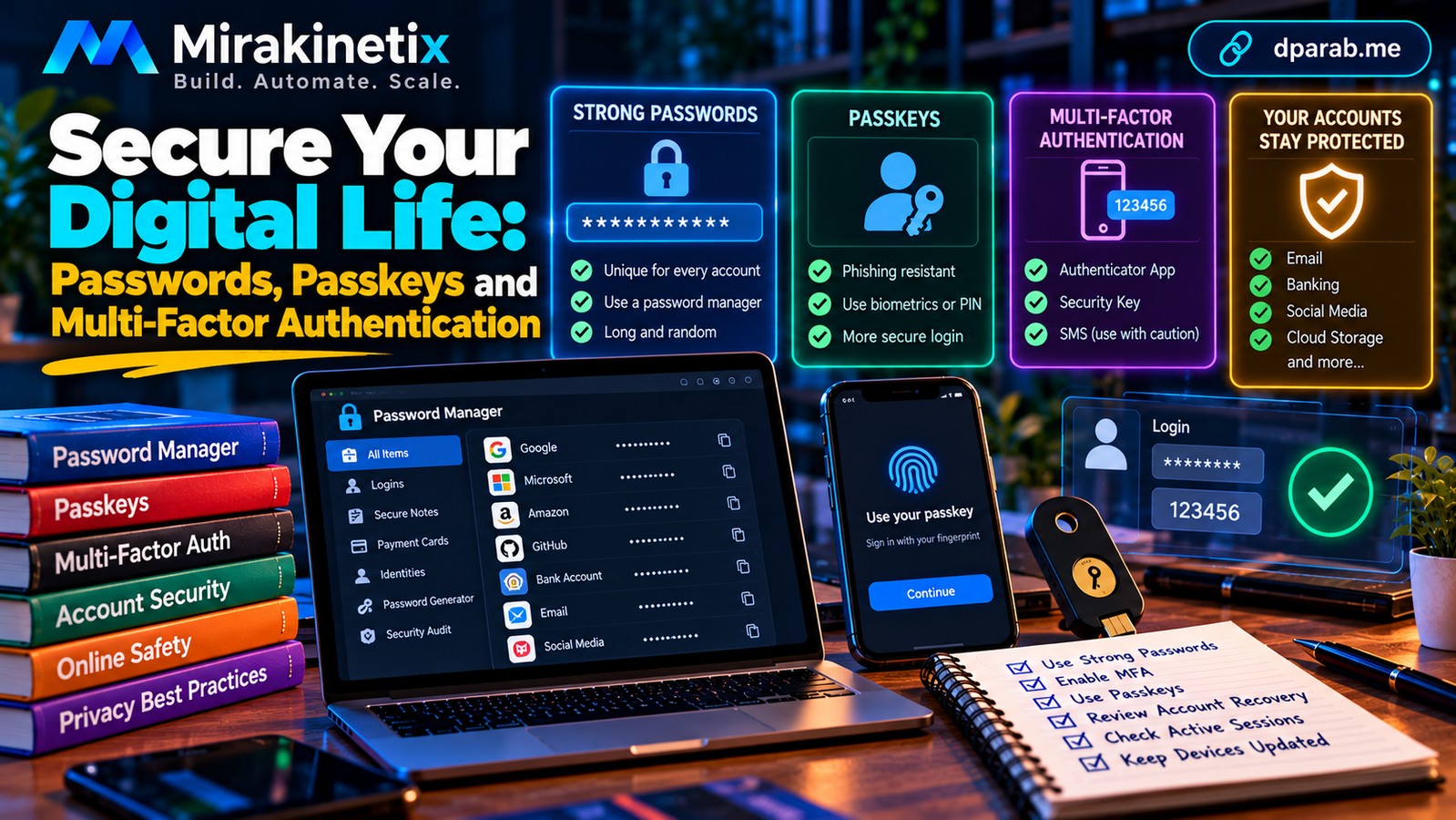
One Compromised Password Can Put Everything at Risk
Think about how many services depend on your email account. Your social media profiles, shopping accounts, cloud storage, subscriptions, and even other passwords may be connected to it.
If an attacker gains access to your email, they may be able to reset passwords elsewhere. If you reuse the same password across multiple websites, a breach at one service can expose several of your accounts.
Protecting your digital identity requires more than remembering a complicated password. It requires multiple layers of security that work together.
1. Use a Unique Password for Every Account
A password should be difficult to guess and should never be reused across important services.
Avoid predictable choices such as birthdays, names, phone numbers, common phrases, or simple keyboard patterns.
Length and unpredictability matter. A long, randomly generated password is generally a better choice than a short password built around predictable substitutions.
You do not need to memorize every password. A reputable password manager can generate and securely store unique credentials for individual services.
Practical tip: Start by replacing reused passwords on your primary email account, financial services, and social media profiles.
2. Use a Reputable Password Manager
A password manager stores your credentials in an encrypted vault and can generate strong passwords for different websites.
When selecting one, look for a reputable provider, clear security documentation, supported recovery options, and compatibility with your devices.
Protect the vault with a strong master password and enable additional security measures where available.
Keep recovery information secure. Losing access to your password manager can be disruptive, while exposing its master credentials can put many accounts at risk.
Never store your master password alongside recovery codes in an unprotected document.
3. Understand Passkeys
Passkeys offer an alternative to traditional passwords.
They use cryptographic credentials associated with a service and typically authenticate through your device, a biometric check, or a PIN, depending on the platform.
A properly implemented passkey is designed to resist phishing because authentication is tied to the legitimate service rather than relying on a password entered into a fake website.
Where supported, passkeys are an excellent option for important accounts.
However, consider how your provider synchronizes passkeys, protects account recovery, and handles lost devices. Your device and the account that manages your credentials still need protection.
4. Enable Multi-Factor Authentication
Multi-factor authentication (MFA) adds another verification step beyond a password.
Depending on the service, available methods may include:
Authenticator applications.
Hardware security keys.
Passkeys.
SMS or email verification codes.
Prefer phishing-resistant methods, such as security keys or passkeys, where supported. Authenticator applications are a practical alternative for many accounts.
SMS verification is generally better than having no additional protection, but it can be vulnerable to phone-number takeover and certain interception or social-engineering attacks.
Never approve an unexpected authentication prompt simply because it keeps appearing. Repeated prompts can indicate that someone already knows your password and is attempting to gain access.
5. Secure Your Email Account First
Your primary email account deserves special attention because it often controls password resets and security notifications.
Take these steps:
Use a unique, strong password.
Enable MFA or passkeys where available.
Review recovery phone numbers and email addresses.
Inspect active sessions and sign out unfamiliar devices.
Check forwarding rules, filters, and connected applications.
Enable security alerts offered by your provider.
If your email account is compromised, an attacker may attempt to maintain access even after you change the password. Review recovery settings and existing sessions rather than assuming a password change alone resolves the problem.
6. Protect Your Account Recovery Options
Account recovery can become the weakest point in an otherwise secure setup.
Store backup codes in a protected location, separate from your everyday device when practical. Ensure that your recovery email address and phone number remain under your control.
Never share recovery codes with callers or message senders who contact you unexpectedly.
For critical accounts, understand the provider's lost-device and account-recovery process before you need it.
7. Review Active Sessions and Connected Applications
Many online services allow you to see devices and sessions that are currently signed in.
Review this information periodically. Sign out unfamiliar sessions and remove applications that no longer need access.
Pay particular attention to applications connected to your email, cloud storage, social media, and productivity services. An application with excessive permissions may expose information even when your password remains secure.
If you find suspicious activity, investigate it and secure the account promptly.
8. Be Careful With Public and Shared Devices
Avoid saving passwords on public computers or leaving accounts signed in after use.
For sensitive activities, use a device you control whenever possible. If you must use a shared computer, avoid saving credentials, sign out completely, and review your account sessions afterward.
Do not assume that a device is safe simply because it is located in a hotel, office, library, or internet café.
9. Build a Practical Account-Security Routine
You do not have to secure every account in one sitting.
Today: Secure your primary email account and your most important financial accounts.
This week: Replace reused passwords, enable MFA, and investigate any unfamiliar login alerts.
This month: Review recovery options, active sessions, connected applications, and available passkey support.
Regularly: Install device updates and review security notifications.
Focus on genuine weaknesses rather than making unnecessary changes simply to follow a schedule.
What If Your Password Has Been Exposed?
If you suspect a credential has been compromised, use a trusted device to change the affected password immediately.
If you reused that password elsewhere, replace it on every affected service. Revoke suspicious sessions, review recovery settings, and contact the service provider if you cannot regain control.
If financial accounts may be affected, contact your bank through an official channel and review recent transactions.
If you suspect your device is infected, do not use it to change passwords for your other accounts until it has been assessed.
Final Thoughts
Good account security is a system, not a single setting.
Unique passwords limit the impact of breaches. Password managers make those passwords practical. Passkeys and multi-factor authentication strengthen authentication. Recovery controls and session reviews help prevent attackers from maintaining access.
You cannot eliminate every cyber threat, but you can make your accounts significantly harder to compromise.
Start with your email account, protect your most important services, and make every account's security independent of the others.


