
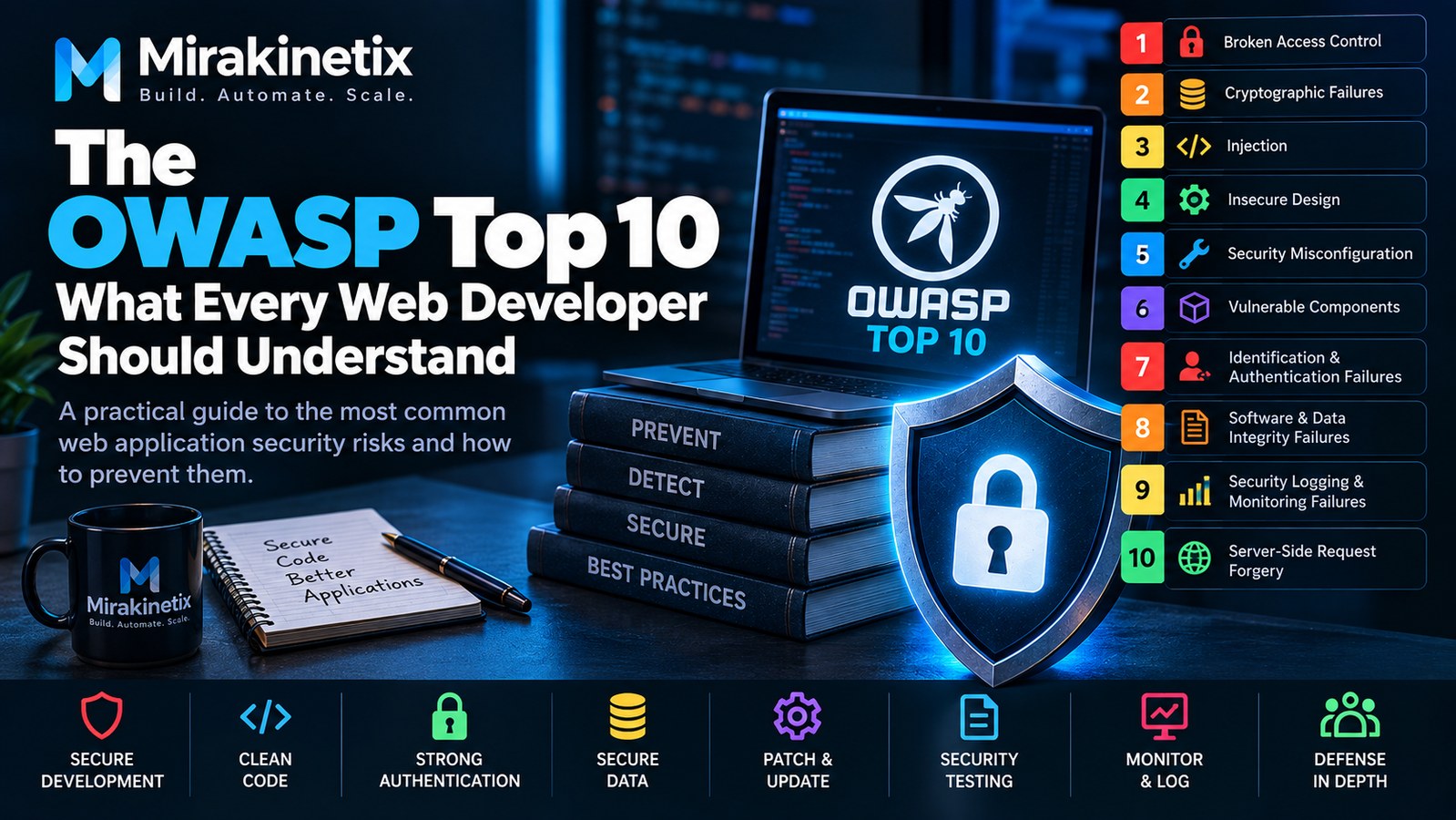
Web application security is not something that should be left entirely to a security team after development is complete.
Developers make decisions every day that directly affect security: how users authenticate, how permissions are checked, how database queries are constructed, how files are uploaded, how APIs are designed, and how sensitive information is stored.
The OWASP Top 10 provides a useful starting point for understanding some of the most important web application security risks.
It is not a complete security checklist, and following it does not automatically make an application secure. But it gives developers a practical framework for thinking about common vulnerabilities and how they can be prevented.
This article focuses on the developer perspective: understanding the risks, recognizing where they appear in real applications, and building security into the development process.
What Is OWASP?
OWASP stands for the Open Worldwide Application Security Project.
It is a community-driven organization focused on improving software and web application security.
One of its best-known resources is the OWASP Top 10, which highlights major categories of web application security risks.
The important thing for developers is not simply memorizing the list.
The real value comes from understanding the underlying security principles.
Security Starts With the Application Design
Security problems are often much easier to prevent during design than after the application has already been built.
Before writing code, think about:
What data does the application store?
Who can access that data?
Which users have administrative privileges?
Which APIs are public?
Which operations modify data?
What happens if an attacker changes an ID in a URL?
What happens if a request is replayed?
What happens if an uploaded file is malicious?
Security questions should be part of architecture discussions rather than an afterthought.
1. Broken Access Control
Access control determines what an authenticated user is allowed to do.
Authentication answers:
Who are you?
Authorization answers:
What are you allowed to do?
Those are different problems.
Consider an application with:
/orders/1001
/orders/1002
/orders/1003
If a logged-in user can simply change 1001 to 1002 and access another customer's order, the application has an authorization problem.
Developers should never assume that because a user is logged in, they are allowed to access every resource.
Authorization should be enforced on the server.
For Laravel applications, this can involve policies, gates, middleware, and explicit authorization checks.
The important principle is:
Never rely on the client to enforce authorization.
2. Cryptographic Failures
Applications frequently handle sensitive information.
Examples include:
Passwords
Personal information
Authentication tokens
Payment information
API credentials
Private business data
Sensitive information needs appropriate protection both at rest and in transit.
Use HTTPS for web traffic and APIs.
Passwords should never be stored as plain text.
Instead, use a password-hashing mechanism designed for password storage.
Encryption may also be appropriate for particularly sensitive data depending on the application's requirements.
Developers should also avoid accidentally exposing secrets through:
Source code
Logs
Error messages
Git repositories
URLs
Debug output
Security is not only about encrypting data.
It is also about making sure sensitive information is not unnecessarily exposed in the first place.
3. Injection
Injection vulnerabilities occur when untrusted input is interpreted as part of a command or query.
SQL injection is one of the best-known examples.
Instead of constructing SQL queries by concatenating user input, applications should use parameterized queries and framework features that safely handle query parameters.
For example, avoid building SQL from raw user input.
Modern frameworks such as Laravel provide query builders and Eloquent that help developers construct database queries safely.
However, developers still need to understand what the framework is doing.
Using a framework does not automatically eliminate every injection vulnerability.
Injection can also occur in other contexts, including:
Command execution
LDAP
Template engines
Operating-system commands
NoSQL queries
Expression languages
The general rule is simple:
Never treat untrusted input as trusted instructions.
4. Insecure Design
Some security problems originate before the first line of code is written.
For example, imagine an application that allows a user to reset an account password using only:
email address
No amount of input validation can fix the underlying design problem.
Security needs to be considered when designing:
Authentication
Password recovery
Account recovery
Payments
Permissions
APIs
Business workflows
Administrative operations
A secure implementation cannot always compensate for an insecure design.
Threat modeling and security-focused architecture reviews can help identify these problems early.
5. Security Misconfiguration
Security misconfiguration is extremely common because modern applications have many configuration layers.
These may include:
Linux
Nginx or Apache
PHP
Laravel
MySQL
Redis
Cloud infrastructure
Containers
CI/CD systems
A single insecure configuration can expose an otherwise well-written application.
Common examples include:
Debug mode enabled in production
Default credentials
Unnecessary services
Public database access
Excessive permissions
Directory listing
Exposed configuration files
Unnecessary API endpoints
Production environments should be deliberately configured rather than simply copied from development.
6. Vulnerable and Outdated Components
Applications depend on many components.
Your code may be secure while a third-party library contains a known vulnerability.
This is why dependency management matters.
For PHP applications using Composer:
composer audit
can help identify known vulnerabilities in installed dependencies.
Developers should maintain an inventory of important dependencies and keep them updated.
However, updating blindly can also create compatibility problems.
A better process is:
Identify
   ↓
Review
   ↓
Update
   ↓
Test
   ↓
Deploy
   ↓
Monitor
Dependency security should be part of the normal development lifecycle.
7. Identification and Authentication Failures
Authentication controls how an application verifies a user's identity.
Common problems include:
Weak passwords
Poor password-reset mechanisms
Credential stuffing exposure
Session-management problems
Missing multi-factor authentication where appropriate
Predictable authentication tokens
Excessive login attempts
Applications should use established authentication mechanisms rather than inventing their own password or session systems.
Authentication should also be combined with appropriate authorization.
A successfully authenticated attacker is still an attacker.
8. Software and Data Integrity Failures
Modern applications frequently depend on external code and automated deployment pipelines.
That creates another security concern:
Can someone modify the software or data before it reaches production?
Examples include:
Compromised dependencies
Malicious packages
Unprotected deployment credentials
Compromised CI/CD systems
Unsigned or unverified artifacts
Unauthorized code changes
Git-based development can provide useful traceability, but the repository itself also needs protection.
Use:
Protected branches
Code review
Strong repository authentication
Limited deployment credentials
Dependency verification
Controlled deployment processes
The goal is to maintain confidence that the software being deployed is the software that was actually reviewed.
9. Security Logging and Monitoring Failures
An application can be secure today and compromised tomorrow.
Without useful logs and monitoring, you may not know what happened.
Important events may include:
Failed authentication attempts
Successful administrative logins
Permission changes
Password resets
Account creation
Privileged operations
Suspicious API requests
Application errors
Logging alone is not enough.
Someone needs to review important events or have automated monitoring detect meaningful anomalies.
A useful security system should help answer:
What happened?
When did it happen?
Which account performed the action?
What systems were affected?
What happened immediately before and after it?
10. Server-Side Request Forgery
Server-Side Request Forgery, commonly called SSRF, occurs when an attacker can manipulate a server into making requests to unintended destinations.
Imagine an application that accepts a URL and downloads its contents.
An attacker might attempt to make the server request an internal resource rather than a public website.
This can become particularly dangerous in cloud environments where internal services may expose sensitive information.
Applications that make outbound requests based on user input should carefully control:
Allowed protocols
Allowed destinations
Redirect behavior
Private network access
Internal IP ranges
DNS resolution
Do not assume that because a URL looks harmless, the server should be allowed to access it.
Security Is More Than the OWASP Top 10
The OWASP Top 10 is useful, but it is not a complete security program.
An application may have risks involving:
Business logic
Privacy
Infrastructure
Supply-chain security
Cloud configuration
Insider access
Secrets management
Availability
Backup security
Operational processes
Developers should therefore use the OWASP Top 10 as a foundation rather than a final checklist.
Validate Input, But Don't Rely Only on Validation
Input validation is important, but validation alone is not a complete security strategy.
For example, an application might validate that an ID is an integer:
1001
That does not mean the current user is authorized to access resource 1001.
Validation answers:
Is this input acceptable?
Authorization answers:
Is this user allowed to perform this operation?
Those are different questions.
Security controls should be layered.
Use Secure Defaults
Applications should ideally fail securely.
For example:
New users should not automatically become administrators.
New API endpoints should not automatically be public.
New files should not automatically become executable.
New database accounts should not automatically receive broad privileges.
New features should not automatically bypass existing authorization.
Secure defaults reduce the chance that a developer accidentally creates an insecure configuration.
Keep Security Out of the Controller Where Possible
Large controllers containing authentication, validation, authorization, database operations, and business logic are difficult to review.
A better architecture separates responsibilities.
For example:
Request
   ↓
Validation
   ↓
Authorization
   ↓
Controller
   ↓
Service / Domain Logic
   ↓
Database
This makes security controls easier to identify and test.
The exact architecture depends on the application, but the principle remains useful:
Security-sensitive responsibilities should be explicit.
Test Security as Part of Development
Security testing should not happen only before a major release.
Include security-related tests in the normal development process.
Examples include testing:
Unauthorized access
Privilege escalation
Authentication failures
Password resets
API authorization
Input validation
File uploads
Session handling
Sensitive endpoints
For example, a test should verify that User A cannot access User B's private resources.
That is more useful than simply testing whether the page works for User A.
Use Multiple Layers of Defense
No individual security control is perfect.
A stronger approach uses multiple layers:
Internet
   ↓
Firewall
   ↓
HTTPS
   ↓
Web Server
   ↓
Application
   ↓
Authentication
   ↓
Authorization
   ↓
Database
   ↓
Monitoring
   ↓
Backups
If one layer fails, another layer may reduce the impact.
This is known as defense in depth.
Make Security Part of the Development Lifecycle
Security should be present throughout the lifecycle of an application.
Requirements
     ↓
Threat Modeling
     ↓
Architecture
     ↓
Development
     ↓
Code Review
     ↓
Security Testing
     ↓
Deployment
     ↓
Monitoring
     ↓
Incident Response
This is far more effective than treating security as a final-stage audit.
A Practical Developer Security Checklist
Before releasing a web application, ask:
Authentication
Are passwords securely hashed?
Is authentication implemented using established mechanisms?
Are sessions protected?
Is password recovery secure?
Are login attempts appropriately controlled?
Authorization
Are permissions checked server-side?
Can users access only their own resources?
Are administrative operations protected?
Are API endpoints authorized?
Input and Output
Is untrusted input validated?
Are database queries parameterized?
Is output appropriately encoded?
Are uploaded files validated?
Are external requests restricted?
Configuration
Is production debug mode disabled?
Are default credentials removed?
Are secrets protected?
Are unnecessary services disabled?
Are production permissions restricted?
Dependencies
Are dependencies regularly reviewed?
Are known vulnerabilities checked?
Are dependency updates tested before deployment?
Monitoring
Are security-sensitive events logged?
Are logs protected?
Are important failures monitored?
Are alerts configured for critical events?
Deployment
Are production deployments controlled?
Are deployment credentials protected?
Are code changes reviewed?
Can deployments be rolled back?
Final Thoughts
The most important lesson from the OWASP Top 10 is not memorizing ten categories.
It is learning to think about security while designing and building software.
Every database query, API endpoint, authentication flow, file upload, background job, and administrative feature represents a potential security decision.
Developers do not need to become full-time security researchers to write more secure software.
They do need to understand the consequences of their design and implementation choices.
Security is not a feature that gets added at the end.
Security is part of good software engineering.


