
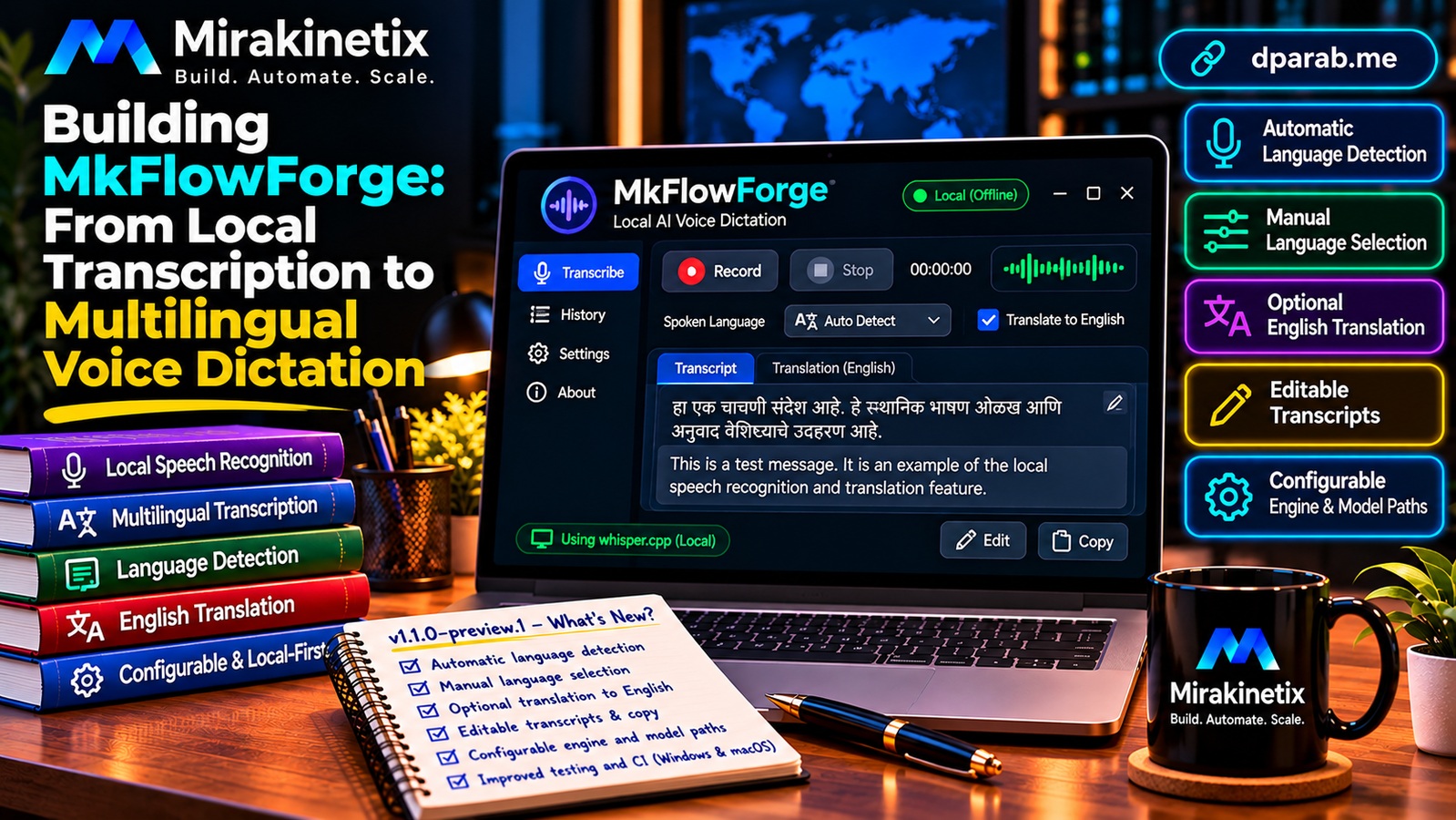
Development Update — 24 November 2026
On 30 October 2026, I published an article titled Local AI on Your Desktop: Voice Recognition, Privacy, and the Rise of Offline Applications.
In that article, I discussed how local AI could make voice recognition and multilingual transcription possible without depending on cloud-based services.
I also introduced MkFlowForge, a Java desktop application I was developing through Mirakinetix.
At that stage, the project had established some important foundations. It could capture microphone input and use whisper.cpp for local speech recognition, but several capabilities still needed development.
The original article also discussed engineering challenges involving language identification, transcription accuracy, usability, and cross-platform compatibility.
Between 30 October and 24 November 2026, development continued, new capabilities were implemented, and the project progressed to its next public preview.
This article documents that progress, the engineering work completed, and the areas that still require attention.
Where We Started
The original objective behind MkFlowForge was straightforward: build a desktop application capable of converting speech into text while giving users more control over their data.
I wanted the speech-recognition process to run locally rather than requiring every recording to be uploaded to an external server.
The initial implementation established three important components:
A JavaFX desktop interface.
Microphone recording capabilities.
Integration with whisper.cpp for local speech recognition.
These provided the foundation for further development.
However, the application still needed better multilingual controls, translation capabilities, and a more practical transcript workflow.
Those requirements became important parts of the subsequent development work.
What's Changed Since the First Article?
1. Automatic Language Detection
One of the important additions is automatic spoken-language detection.
In the original development stage, language identification was a challenge we needed to address.
The application now allows the speech-recognition engine to detect the language being spoken.
This can simplify transcription when users don't want to select a language before recording.
For example, someone working with English, Hindi, or Marathi recordings can allow the model to identify the language rather than selecting it manually each time.
However, automatic detection isn't perfect.
Short recordings, regional accents, background noise, and mixed-language conversations can still create difficulties.
The functionality is available, but its accuracy across different languages and recording conditions requires further practical testing.
2. Manual Language Selection
Automatic detection is useful, but I don't believe it should be the only option.
There are situations where users already know which language they intend to speak.
MkFlowForge now allows users to select the spoken language manually.
This gives them greater control over the transcription process and can help when automatic detection struggles.
For multilingual users, providing both automatic and manual selection is more practical than forcing everyone into a single workflow.
3. Optional Translation into English
Another development is the ability to request English translation through the local speech-recognition engine.
This is different from ordinary transcription.
If someone speaks in Marathi, transcription aims to reproduce the spoken words in Marathi. Translation attempts to express their meaning in English.
MkFlowForge now supports choosing between these operations where the configured Whisper model supports them.
This creates useful possibilities for people who work across languages.
However, translation quality depends on the selected model, spoken language, recording quality, and context.
I don't want to claim that every language or accent will produce equally reliable results.
That is something practical testing must establish.
4. Editing and Copying Transcripts
A speech-recognition engine rarely produces perfect text in every situation.
Names, technical terminology, punctuation, and unusual pronunciations can introduce errors.
The application now provides an editable transcript area, allowing users to review and correct recognized text before copying it to the clipboard.
This might seem like a small improvement compared with language detection or translation.
But from a usability perspective, it matters.
A transcription application should not assume that whatever the AI produces is automatically correct.
The user must remain in control of the final text.
5. Configurable Speech Engine and Model Paths
MkFlowForge continues to use whisper.cpp for local speech recognition.
The updated application provides configurable paths for the local speech-recognition executable and Whisper model.
This matters because these components are not bundled with the application.
Different users may install them in different locations.
Providing configuration options makes the application more flexible for development and testing, although setting up these dependencies still requires technical knowledge.
Why I'm Continuing with Local-First AI
My interest in local AI isn't simply about avoiding subscription charges.
It's about exploring practical applications that can operate without depending on remote services for every task.
Speech recordings can contain meeting discussions, private thoughts, business information, or personal conversations.
With local transcription, the audio can be processed on the user's own computer using the configured local engine.
There is no requirement for a cloud transcription API subscription.
Of course, local processing doesn't automatically guarantee complete security or privacy. Operating-system permissions, temporary files, application behaviour, and the trustworthiness of installed components still matter.
It also places more responsibility on the user's computer.
Performance and accuracy depend on the hardware, selected Whisper model, language, and recording quality.
For me, this is an engineering trade-off worth exploring rather than a claim that local AI is always better than cloud AI.
Engineering Progress Beyond the Features
Development isn't only about adding visible features.
A considerable amount of work also goes into ensuring that a project can be maintained, tested, and shared responsibly.
On 24 November 2026, the updated MkFlowForge source code was made available in the public GitHub repository.
The public main branch was updated to commit 030dc10, establishing a verified source revision for the latest preview.
The project uses Java 25, JavaFX, Maven, JUnit 5, and GitHub Actions.
The latest engineering validation includes:
All 21 local automated tests passing.
Successful Windows GitHub Actions verification.
Successful macOS GitHub Actions verification.
Secret scanning completed without detected leaks in its checked scope.
These are important engineering milestones.
However, passing automated tests doesn't mean the entire application has been validated under real desktop conditions.
Windows and macOS have different microphone permissions, native executable requirements, and application-management behaviour.
Those differences still need to be tested on actual systems.
The same principle applies to multilingual transcription. Automated tests can validate application logic, but they cannot replace practical testing with different languages, accents, microphones, and recording environments.
A successful build is an important milestone. It is not the same as a finished product.
MkFlowForge v1.1.0-preview.1: Public Prerelease Published
On 24 November 2026, MkFlowForge reached another important milestone.
MkFlowForge v1.1.0-preview.1 was published as a public GitHub prerelease.
The release tag points to commit 030dc10, the same revision that successfully passed Windows and macOS GitHub Actions verification.
This means developers can now access a clearly identified version of the project's source code rather than relying solely on the latest state of the development branch.
For an open-source project, this is useful because it establishes a specific revision that others can inspect, build, and evaluate.
However, I want to clarify what this release represents.
It is a source-code preview, not a production-ready desktop application.
Windows and macOS installers are not yet available.
Developers who want to evaluate the application must configure Java 25, Maven, whisper.cpp, and a compatible Whisper model.
Interactive desktop testing remains pending.
Global dictation shortcuts and automatic insertion of recognized text into other applications are unavailable in this preview. Recording and transcription are controlled through the application interface.
Sticky Notes integration is currently disabled.
These limitations are documented because I believe a preview release should communicate both its capabilities and its unfinished areas.
Publishing a preview is not a declaration that development is complete. It is an opportunity to make progress visible and invite informed feedback.
The Next Challenge: Real-World Testing
This brings me to an important part of the development journey.
Automated tests are valuable, but people often discover problems that developers overlook.
For MkFlowForge, I'm particularly interested in feedback about multilingual accuracy, language selection, transcription editing, microphone behaviour, setup difficulties, and differences between Windows and macOS.
A user who regularly switches between two languages may encounter situations that never appeared in my own tests.
Someone working with technical terminology may identify recognition problems.
A developer testing on another operating system may discover configuration issues that are difficult to reproduce elsewhere.
With the public prerelease now available, interested developers can review the source, attempt to build it in a suitable environment, and share reproducible issues or suggestions.
Because this is still a preview, I recommend using disposable or non-sensitive recordings for testing.
I don't expect everyone to agree with the design choices I've made.
In fact, I welcome suggestions about where the application can be simplified, improved, or approached differently.
Final Thoughts
On 30 October 2026, I shared the initial development journey of MkFlowForge and discussed the possibilities of local AI-powered transcription.
By 24 November 2026, several of the capabilities discussed in that article had progressed into working application features.
Automatic language detection, manual language selection, English translation, editable transcripts, and improved configuration have moved the project forward.
The engineering workflow has also matured, with updated public source code, successful automated verification on Windows and macOS, and the publication of v1.1.0-preview.1.
There is still work to do before I would consider MkFlowForge ready for everyday use.
But that's part of software development.
Progress isn't measured only by the number of features we add. It is also measured by how carefully we test, refine, and improve what we've already built.
I'll continue sharing the development journey as the project evolves.
And if you're a developer, tester, or someone interested in local AI and multilingual voice recognition, I would genuinely appreciate your feedback.
Project References
Previous article: Local AI on Your Desktop: Voice Recognition, Privacy, and the Rise of Offline Applications
Public prerelease: MkFlowForge v1.1.0-preview.1
Public repository: MkFlowForge on GitHub
Automated verification: GitHub Actions results
Company website: Mirakinetix
MkFlowForge by Mirakinetix
Build. Automate. Scale.


